Smart Booking
Track every appointment and service request from one screen, no more juggling calls, texts, and paper notes.
1
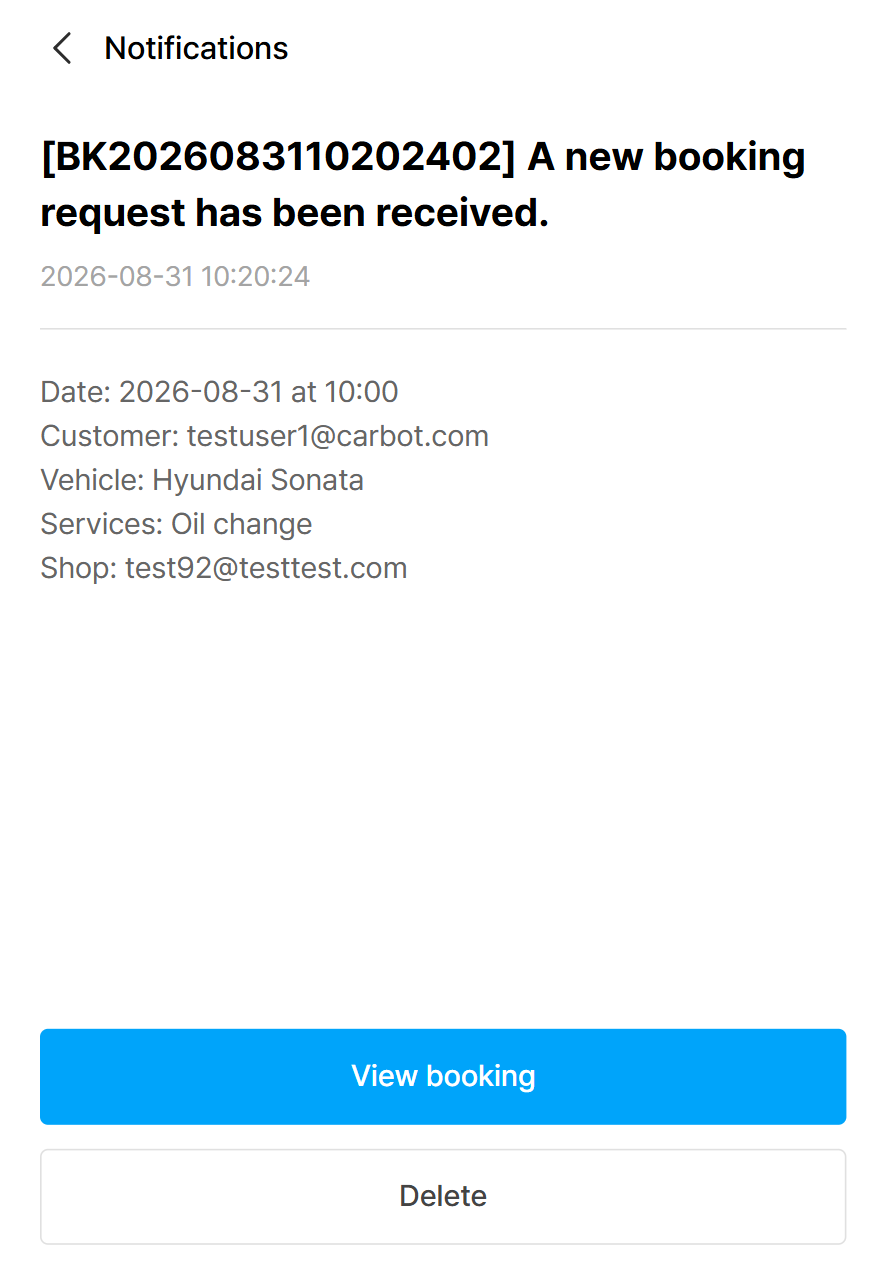
Get notified when a booking comes in
Every new booking request arrives as a notification with the date, customer, vehicle, and requested service.
Tap View booking to jump straight to the request and confirm it.
2
See your whole schedule at a glance
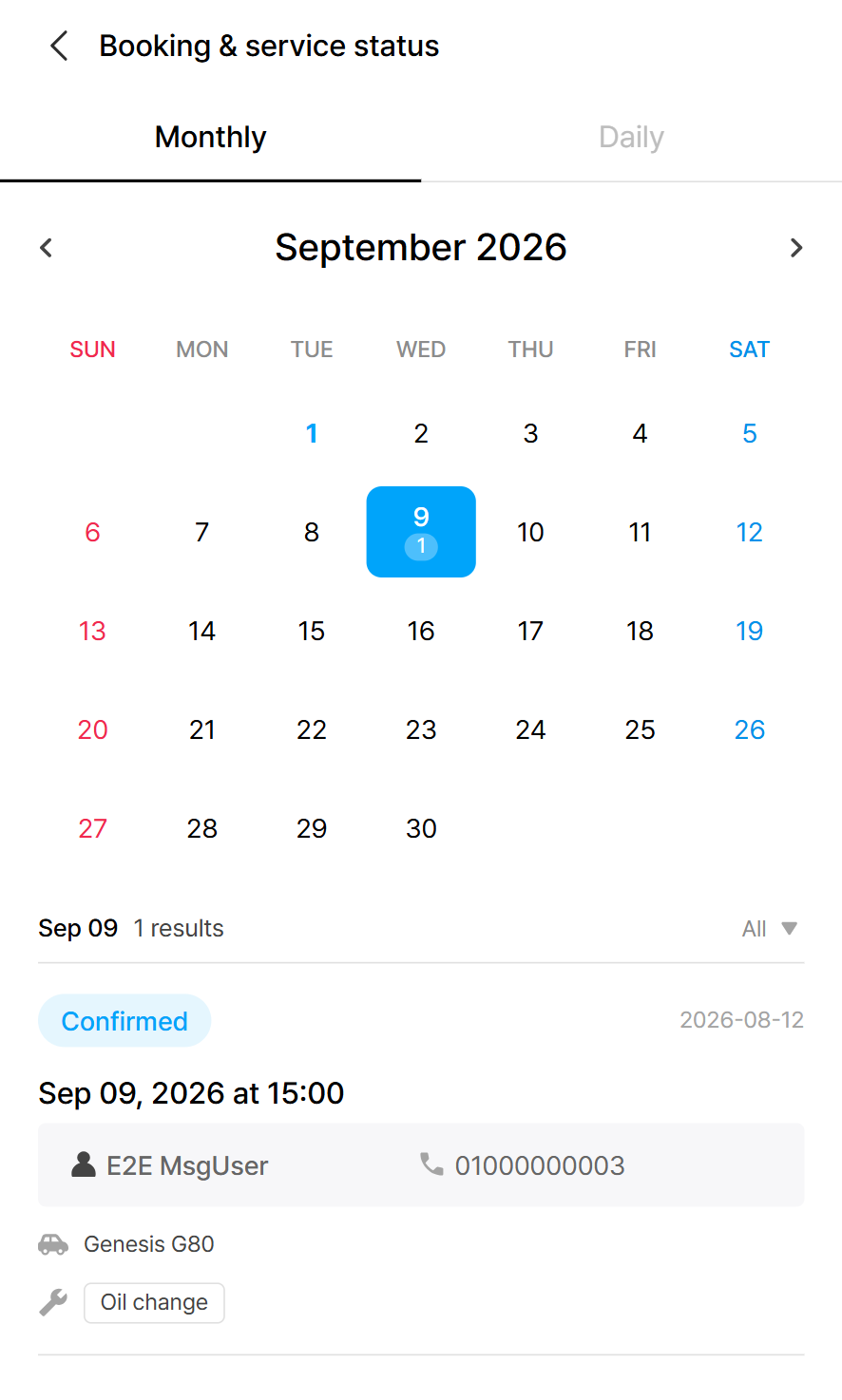
Open Booking & service and switch between Monthly and Daily views. Days with appointments are marked, so you can spot busy days instantly.
Tap any date to see that day's bookings: status, time, customer, vehicle, and requested service, all in one card.
3
Track status from request to delivery
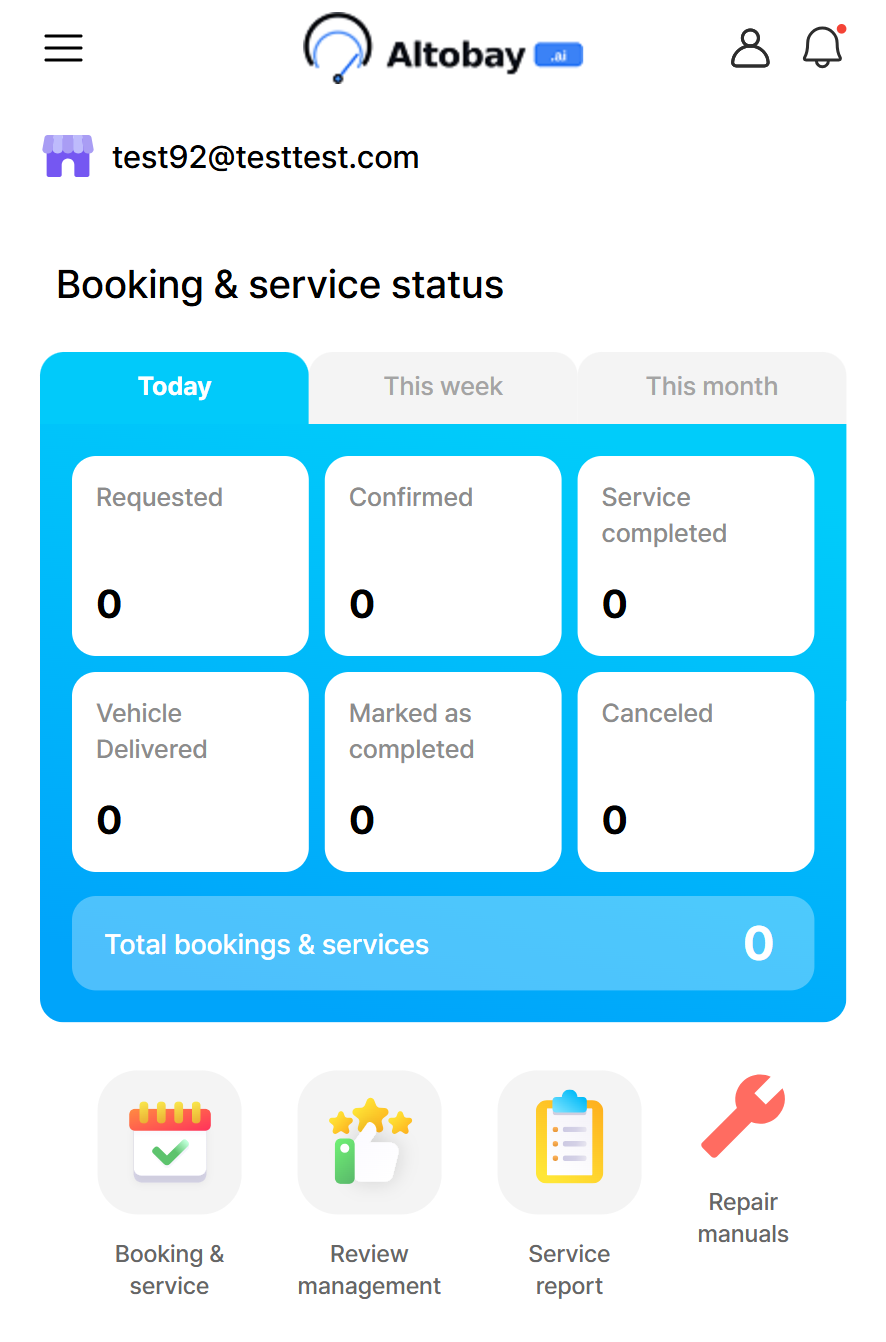
The home dashboard breaks down your bookings by status: Requested, Confirmed, Service completed, Vehicle delivered, and more.
Toggle between Today, This week, and This month to see how the shop is doing at a glance.